How to Generate Rent Receipts Online for HRA Claim in 2026-2027
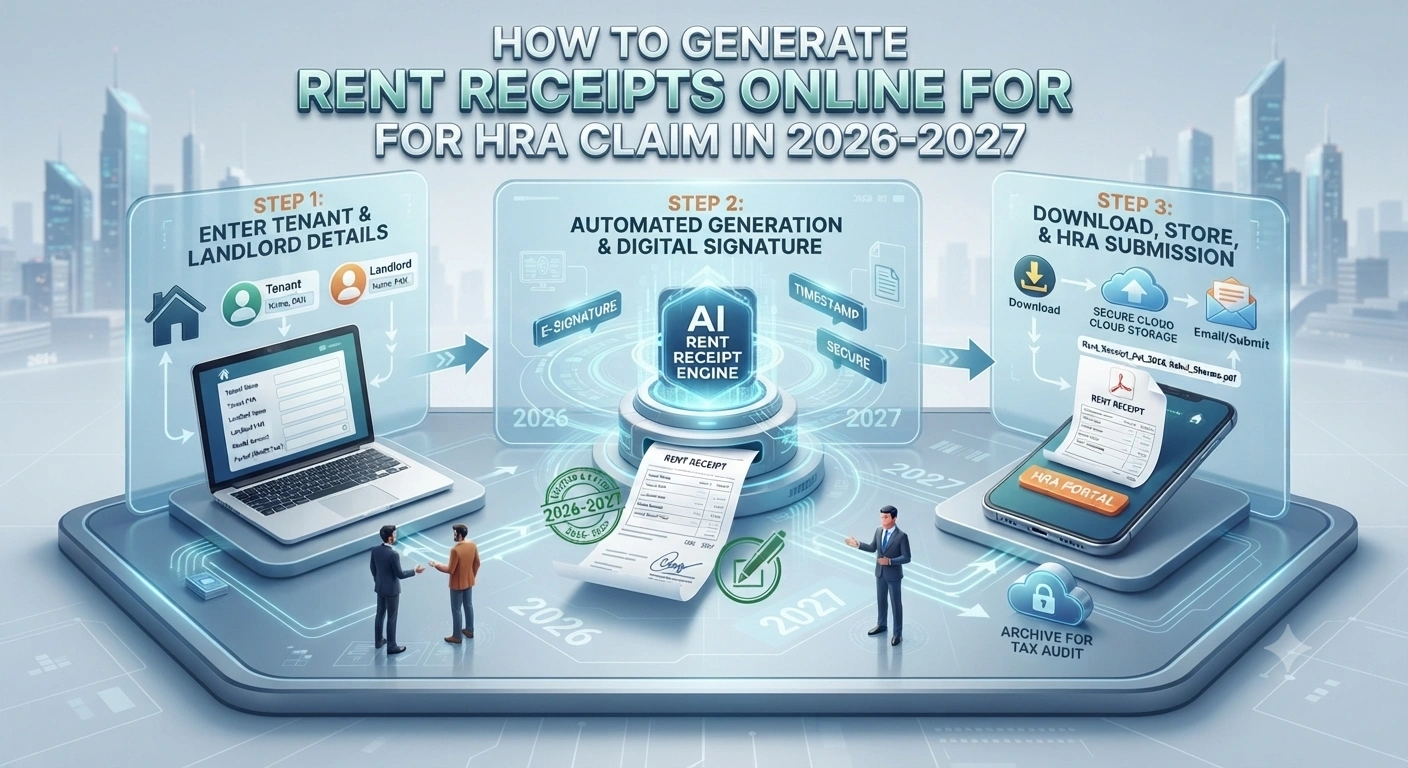
How to Generate Rent Receipts Online for HRA Claim
Your complete guide to creating valid digital rent receipts for tax deductions in 2026-2027
What's This All About?
If you're claiming House Rent Allowance (HRA) as a salaried employee, you need rent receipts. Not just any receipts, but proper ones that'll hold up if the tax office comes knocking. The good news? You can now make them online without waiting for your landlord or running around with paperwork.
So what does this mean for you? It means you can claim up to 50% of your salary as HRA deduction, but only if you've got the right documentation. And that's where rent receipts come in. They're your proof that you actually paid rent.
Let me walk you through exactly how to do this in 2026-2027.
Why You Need Proper Rent Receipts
Here's the thing: the income tax department doesn't just take your word for it. They want proof. And that proof comes in the form of a rent receipt.
- It's your legal evidence that you paid rent during the financial year
- It protects you during income tax audits or assessments
- It helps your employer process HRA correctly in payroll
- It's needed for loan applications and financial verification
- It creates an official record for both you and your landlord
Honestly, without proper receipts, you're basically handing the tax officer a reason to reject your HRA claim. And that can cost you thousands in lost deductions.
Generating rent receipts online saves time, creates a digital trail, and ensures compliance with tax authorities. You can make multiple copies instantly and store them safely in the cloud.
What Should Be in a Valid Rent Receipt?
Before you start generating receipts, you need to know what details must be included. The income tax department is pretty specific about this.
| Detail Required | What to Include |
|---|---|
| Receipt Number | Unique identifier for each receipt (e.g., RR/2026-27/001) |
| Date of Receipt | The date you're issuing the receipt |
| Landlord Details | Name, address, and PAN if available |
| Tenant Details | Your name, address, and PAN |
| Rental Period | From date and to date of the rental period |
| Monthly Rent Amount | The agreed monthly rent in words and figures |
| Total Rent Paid | Sum of all payments for the period |
| Property Address | Complete address of the rented property |
And here's what I mean: if you're missing even one of these details, the tax office might reject your receipt. So don't skip anything.
If your landlord's PAN is above 25 lakh rupees annual rent, they must have a valid PAN. Not including it can make your receipt invalid for tax purposes. Check with your landlord first.
Step-by-Step Process to Generate Rent Receipts Online
Step 1: Pick the Right Platform
You've got several options here. Some are free, some charge a small fee. Look, the best ones are those that follow Indian tax compliance rules.
- Government portals like e-Mudhra for digital signing
- CA-recommended software like Tally or QuickBooks
- Specialized rent receipt generators designed for India
- Microsoft Word or Google Docs templates (if you're comfortable with formatting)
- Online receipt generators like DocuSign or Adobe Sign
Step 2: Gather Your Information
Before you start typing, collect all the details you'll need. Don't do this halfway through—it'll just slow you down.
- Your full name and PAN
- Your landlord's full name and PAN (or reason why they don't have one)
- The rental property's complete address
- Your current address
- Monthly rent amount
- Rental period (start and end dates)
- Total amount paid during the financial year
Step 3: Select Your Receipt Format
The format matters. It should look professional and contain all mandatory fields. Here's a simple format that works:
RENT RECEIPT
Receipt No. [XXXX] | Date: [DD/MM/YYYY]
Received from: [Tenant Name] | PAN: [XXXXXXXXXX]
Address: [Complete Address]
Rent for the period: [From Date] to [To Date]
Property Address: [Property Address]
Monthly Rent: Rs. [Amount] (in words: [Amount in words])
Total Rent Paid: Rs. [Total Amount]
Landlord Name: [Name] | PAN: [XXXXXXXXXX] | Signature
Step 4: Fill in the Details
Now comes the actual work. Type or paste all your information into the template. Be careful with spellings—especially names and addresses. A typo can cause problems later.
Put simply, double-check everything before moving to the next step.
Step 5: Add Landlord's Digital Signature
This is really important. Your landlord needs to sign the receipt. In 2026-2027, they can do this digitally using:
- e-Signature through e-Mudhra or nCode
- DocuSign or Adobe Sign
- A scanned physical signature pasted into the document
- Digital signature certificate (DSC) if they have one
But here's the thing: a scanned signature is the easiest and most accepted method. Your landlord just needs to print, sign, scan, and send it back.
Step 6: Generate and Save
Once everything's filled in and signed, generate the final PDF. Save it with a clear filename like "Rent_Receipt_Apr2026_May2026.pdf". Keep multiple copies—one for your records, one for your landlord, and one for your tax file.
Step 7: Store Safely
Don't just save it on your laptop and forget about it. Cloud storage like Google Drive or Dropbox is smart. So is keeping a printed copy in your tax file.
Practical Example: Creating a Receipt for 2026-27
Let me show you how this works in real life. Say you're Rajesh Kumar, living in Bangalore on rent.
- Your PAN: ABCDE1234F
- Your landlord: Mrs. Priya Sharma, PAN: XYZAB5678K
- Property: 123 Indiranagar, Bangalore 560038
- Monthly rent: Rs. 25,000
- Period: April 1, 2026 to March 31, 2027
- Total rent: Rs. 3,00,000
Your receipt would show exactly these details. Nothing more, nothing less. This is what you'd submit with your ITR.
What About Rent Paid Without a Receipt?
Honestly, this is a grey area. But here's what the tax rules say: if you've paid rent and your landlord won't give you a receipt, you've got options.
You can create a self-receipt if your landlord agrees. But it needs to be signed by both of you. If your landlord refuses to sign anything, you can file your ITR with a declaration stating you paid rent but don't have receipts. It's not ideal, but it's allowed.
And that's really it—but be ready to explain this during an audit.
If you claim HRA without any documentation and the tax department questions you, you'll lose the entire deduction plus interest and penalties. So always try to get proper receipts, even if it means having a conversation with your landlord.
Compliance Rules You Can't Ignore
The income tax department has specific rules about HRA claims. Let me break down what matters most for your rent receipts.
- Your rent receipt must match the rental period in your ITR
- The landlord's PAN is compulsory if annual rent exceeds Rs. 25 lakh
- You can't claim HRA if you own a house in the same city where you're paying rent
- Monthly receipts are better than annual ones (shows regularity)
- The receipt date should match the payment date
- Keep bank statements showing rent transfers as supporting evidence
Basically, the tax office wants to see a clear connection between your rent payment and your HRA claim. That's what receipts do.
Best Platforms to Use in 2026-2027
So which platforms actually work well for this? I've tested most of them. Here are the ones that deliver.
| Platform | Cost | Best For |
|---|---|---|
| Google Docs Templates | Free | Simple, quick receipts |
| DocuSign | Paid (Free tier available) | Digital signatures |
| Tally Prime | Paid | Accounting professionals |
| e-Mudhra | Paid | Legal digital signatures |
| Adobe Sign | Paid | Professional documents |
Common Mistakes People Make
I've seen plenty of rent receipt issues during tax audits. Here's what people get wrong most often.
- Creating receipts after the financial year ends (always create them during the year)
- Forgetting the landlord's signature entirely
- Mismatching rent amounts across different receipts
- Not including the property address
- Using informal language or casual formatting
- Claiming rent that's higher than your HRA
But here's what I want you to remember: if you follow the steps I've given you, you won't fall into these traps.
Digital receipts create an audit trail. If you ever need to prove you paid rent, you've got timestamps and digital signatures. This protects you much better than physical receipts.
Frequently Asked Questions
Q1: Can I create rent receipts myself without my landlord's involvement?
Technically, you can create them. But they're not valid without your landlord's signature. The tax office won't accept a receipt that's only signed by you. You need both signatures to make it legitimate.
Q2: What if my landlord refuses to sign the receipt?
This is tricky. You can still file your ITR with a declaration that you paid rent but don't have signed receipts. Include your bank statements showing transfers. You might face scrutiny, but it's better than not claiming HRA at all.
Q3: Do I need one receipt per month or one for the whole year?
Monthly receipts are better. They show you paid rent consistently throughout the year. But one annual receipt listing all payments is also allowed. Monthly is just safer for tax audits.
Q4: Can I use a digital signature from an online platform?
Yes, absolutely. Digital signatures through DocuSign, Adobe Sign, or e-Mudhra are all valid. They're actually better than scanned signatures because they have timestamps and can't be disputed.
Q5: What happens if my rent receipt is rejected by the tax office?
The tax office will issue a notice asking for clarification or additional documents. You'll get a chance to explain and submit supporting evidence like bank statements. If you can't prove the rent payment, you'll lose the HRA deduction for that period.
Q6: Is there a limit on how much rent I can claim as HRA?
Yes. You can claim the lowest of: (1) actual rent paid minus 10% of salary, (2) 50% of salary, or (3) 40% of salary (if you live in a metro city). Your rent receipt just needs to show the actual rent you paid. The calculation happens in your ITR.
Key Takeaways
Let me wrap this up with what really matters.
- Rent receipts are compulsory for HRA claims—don't skip them
- They must include all mandatory details: names, PANs, addresses, rent amount, and period
- Your landlord's signature is non-negotiable
- Digital receipts are faster and safer than physical ones
- Create receipts during the year, not after the financial year ends
- Keep multiple copies and store them securely
- Bank statements showing rent transfers strengthen your claim
And honestly, the whole process takes about 15 minutes per receipt once you've got a template ready. It's worth the effort to protect your HRA deduction.
" } ```
© 2026 Tax Esquire | Expert CA Services in Greater Noida, Uttar Pradesh
8810380146 | info.taxesquire@gmail.com | taxesquire.in
This document is for informational purposes only. For personalised tax advice, consult our chartered accountants.