How to Check Bill Of Entry Status on GST Website ?
The Bill of Entry can be said to be the main instrument that acts as a mandate document required to convert the imported shipment into valid domestic goods in every single transaction of imports into India.
It is filed electronically using ICEGATE, the Indian Customs Electronic Data Interchange Gateway. The introduction of ICEGATE has resulted in a paradigm shift from manual paper filing process to automatic electronic system for customs clearance in India.
A group of documents is provided in every consignment so that the imported cargo can be properly checked by the authorities. Among them is the Bill of Entry, which should be filed at the Customs office to ensure smooth clearance of the consignment. Let us see the steps in the ICEGATE bill of entry status and its significance.
Significance of bill of entry under GST
Bill of entry serves as a legal document both for the importer as well as the custom clearances company. Reporting of bill of entry under GST requires computation and payment of Integrated GST, Customs Duty and Compensation Cess. After completing this process, the importer becomes eligible to claim ITC against the goods.
Importance of verifying bill of entry status
Bill of entry serves not only to prove the movement of goods between countries but also plays an essential role in determining the rate of tax to be paid. Furthermore, in case you wish to claim compensation cess recovered on imports and ITC of IGST, you should verify your bill of entry status. For that purpose, you can check the status of the bill of entry via the ICEGATE bill of entry status check system.
Contents of bill of entry
The knowledge about the contents of bill of entry plays an essential role for the importers, and below are the important components:
|
Contents |
Description |
|
Importer's information |
The information consists of the importer's name and address along with the details about the customs house agent associated. |
|
IEC (Import Export Code) |
This is a unique code that makes it easier for international business operations. |
|
Goods Details |
The monetary value and other information about the goods being imported. |
|
Exporter's information |
The information includes the name and address of the exporter along with the origin of the goods. |
|
Destination Port |
The information about the port of arrival of the goods. |
|
Licence and Duty |
This section includes details such as the importer's licence number and import duty along with the rate. |
|
Port Code |
The port code is 13 digits in number, of which first numbers are of port code. |
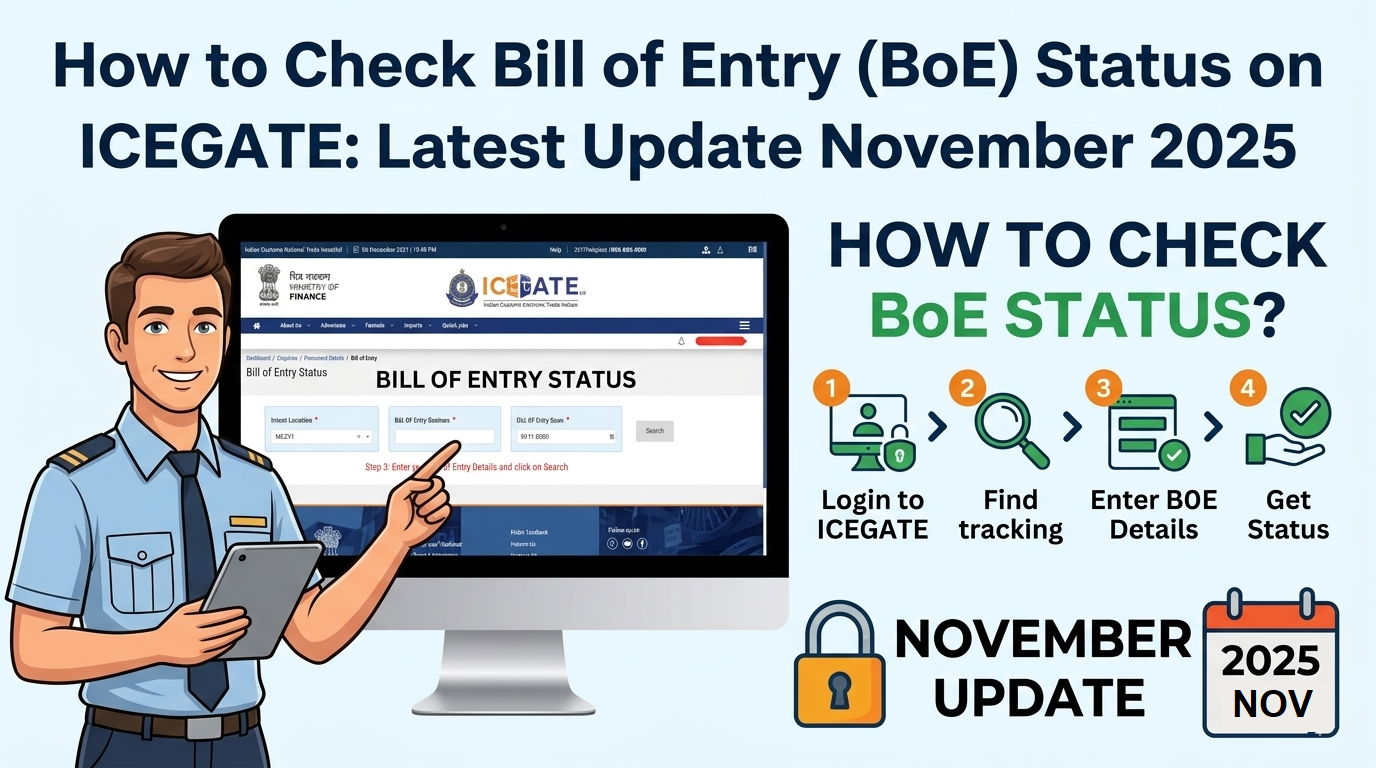
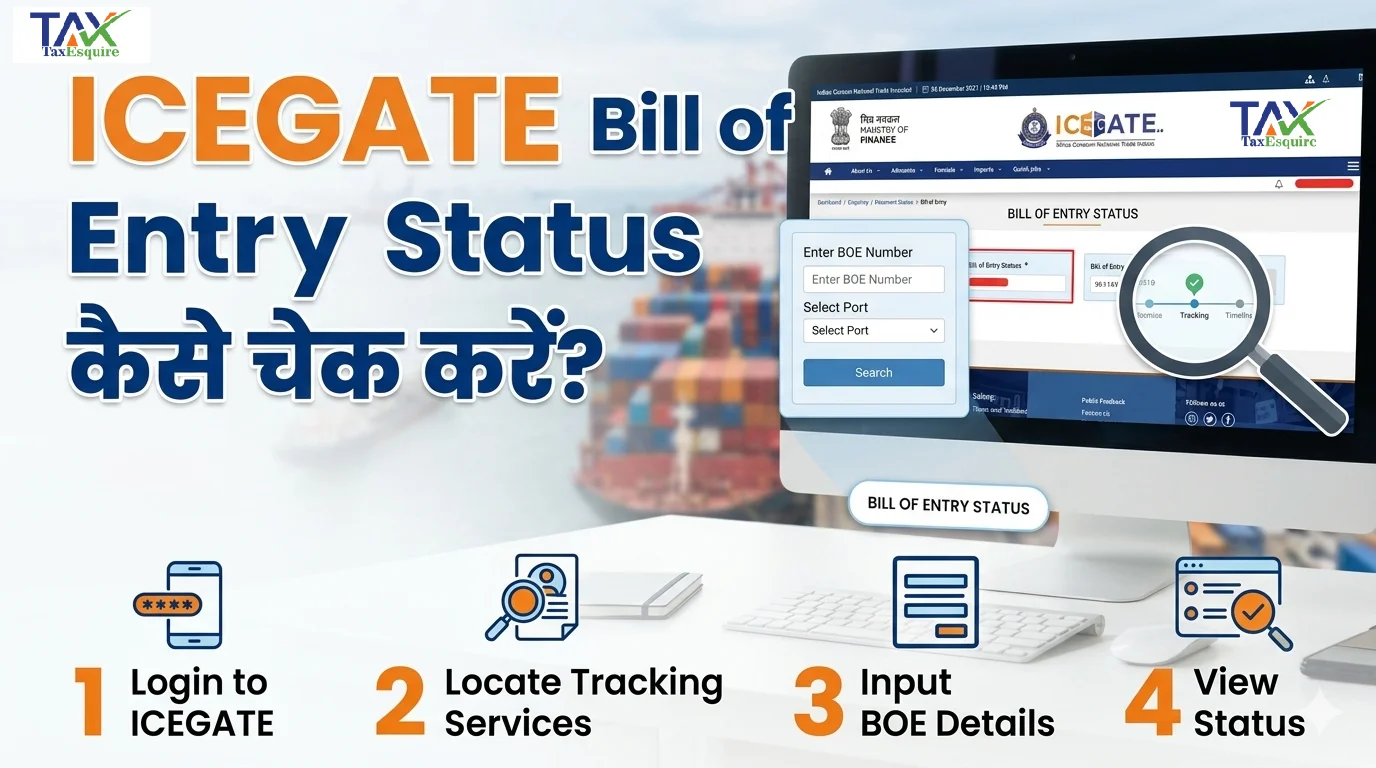
How to Verify Status of Bill of Entry in ICEGATE through GST Portal?
Here are simple steps that can help you verify the bill of entry status in ICEGATE through the GST portal.
Step 1: Go to GST Portal Website
First of all, open your web browser and head over to the official GST portal.
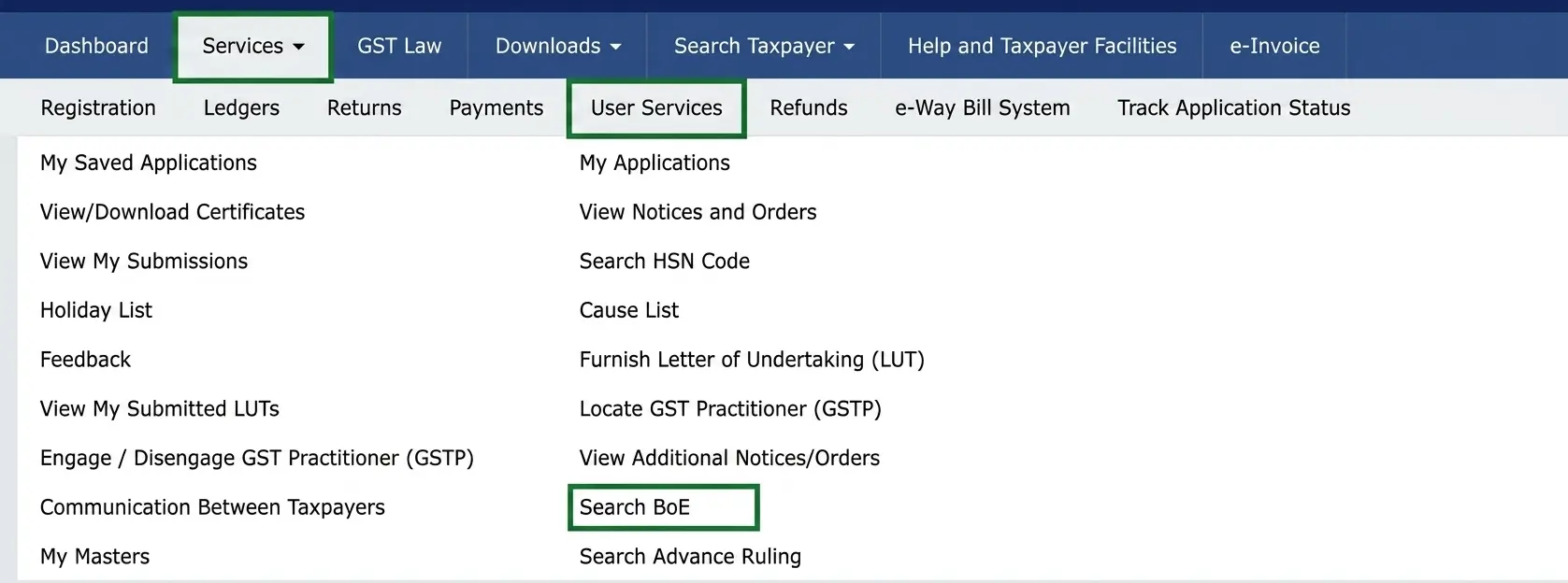
Step 2: Choose User Services
Now on the GST official website page, navigate to the 'Services' tab and from the drop-down menu, select 'User Services' then select 'Search BOE option'.
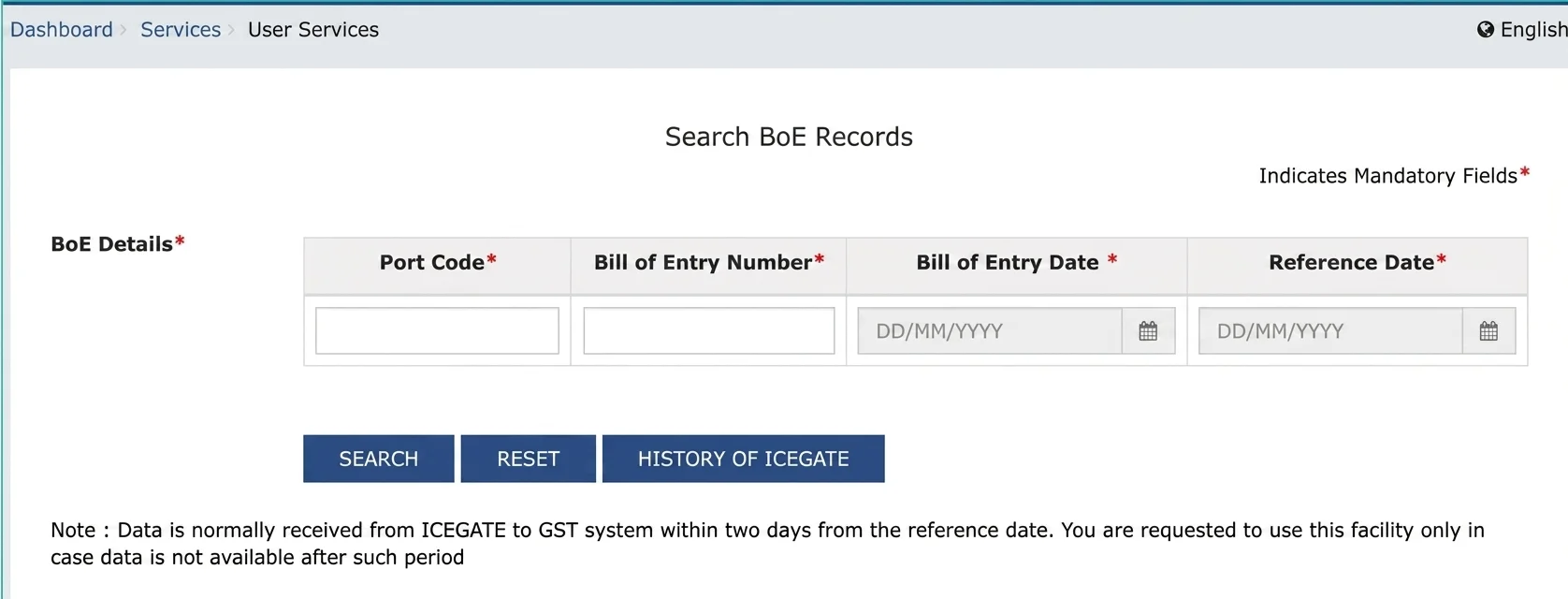
Step 3: Provide Details for Search
On the Search BOE Records page, provide details like port code, Bill of Entry number (BOE), BOE Date, and Reference date. Click the "Search" button to proceed with the search.
enter bill of entry details for search
Step 4: View Search Results
Upon clicking the "Search" button, the search results would be displayed on the website. It allows you to see some information about the BOE. You get to see the status of the BOE record and other pertinent details. The possible statuses of the BOE include:
Open: The initial status. Lines may have status of On Hold, Ready, Assessed, and Closed.
Ready: The BOE worksheets may now be printed. Lines allowed in Ready, Assessed, and Closed status.
Assessed: Lines may now be linked to Receipt lines. Header changes are allowed once all lines have status of Assessed or Closed.
Common Problems Occurring During Verification of BOE Status
The following common problems can occur when an importer verifies BOE status on ICEGATE:
● Wrong entry of BOE number and date.
● Late update of assessment by Customs authorities.
● Problems with network connection on ICEGATE.
● Improper filing of BOE by CHA.
How can I download a copy of the Bill of Entry?
The last copy of the Bill of Entry has many important uses including GST reconciliation and auditing among others. It is only after the goods are released from customs that the Out of Charge copy can be downloaded. This is done to confirm all duties have been paid and examination carried out.
Downloading your copy of the Bill of Entry:
- Login into ICEGATE with your credentials
- Go to the 'Download Documents' or 'BOE Print' tab
- Provide the BOE number and date
- Select 'Out of Charge' as the document type
- Click Download to download a signed copy in PDF format
Closed: Received goods. Change the status of the line manually to Closed. Any further modifications not permitted. Used for lines in internal supplier excise invoice. Make CENVAT entries post copying data.
Checking the ICEGATE bill of entry status on a regular basis is crucial for efficient customs clearance and import procedures. Bill of Entry is an important document that helps determine tax slabs among other things. Using the steps given above to check the status of the ICEGATE bill of entry status will help you have a hassle-free transaction process.