How to Check Bill of Entry (BoE)Status on ICEGATE: Latest Update By Tax Esquire
Bill of Entry (BoE) is an essential document in the import-export process of India for customs clearance, GST payments, and claiming ITC. The process of checking BoE status has undergone a major change due to the recent changes to the ICEGATE website (Nov 2025).
This blog post by Tax Esquire explains the process of checking BoE status in India after the recent update to ICEGATE.
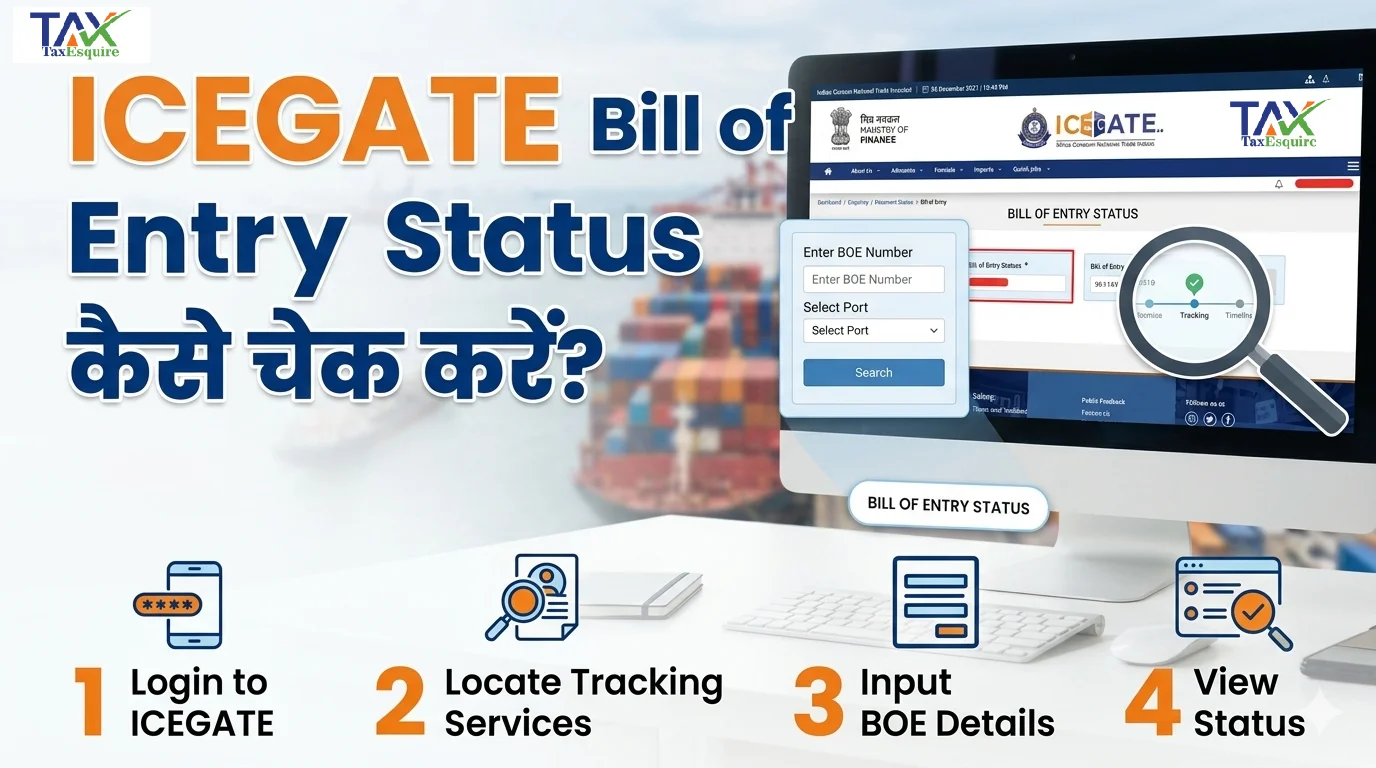
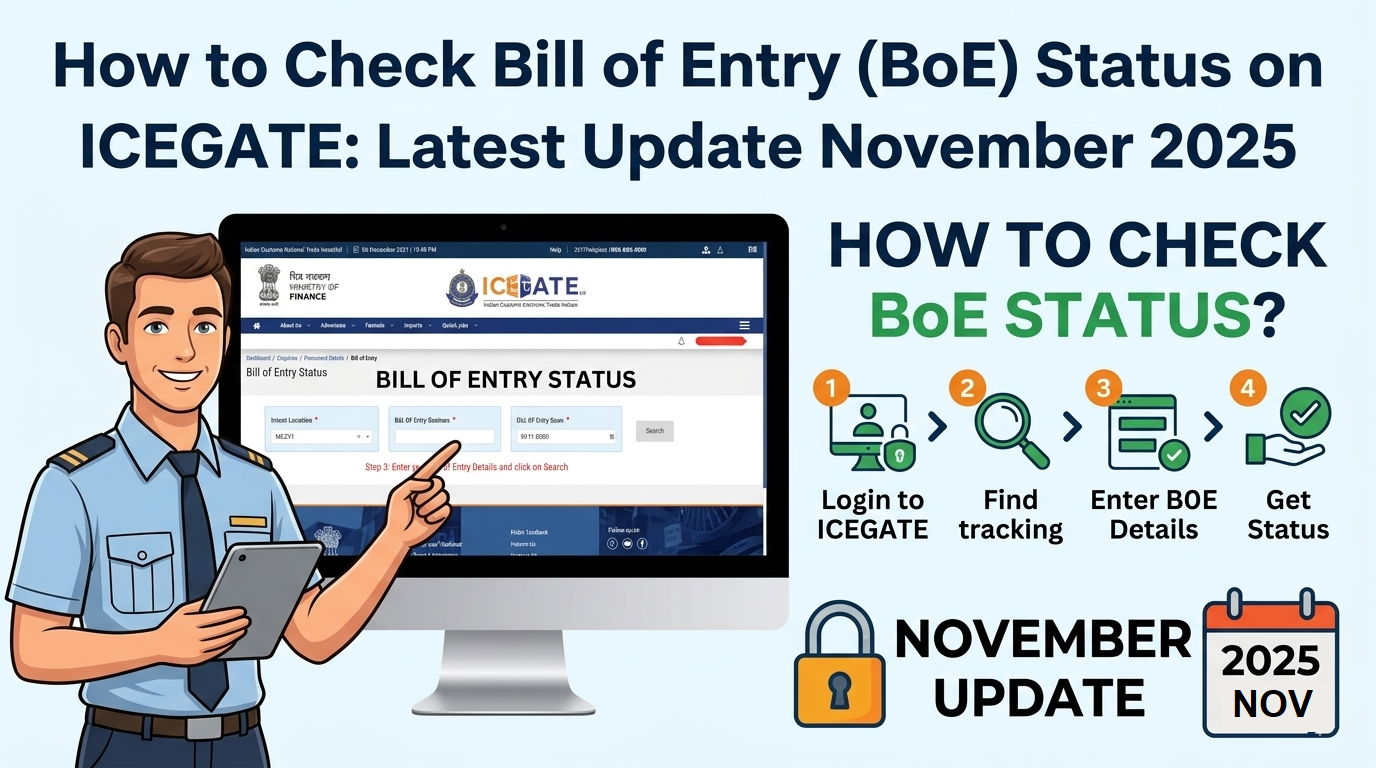
This is a Step-by-Step procedure on how to check the Bill of Entry (BOE) status on ICEGATE after it was removed from the tracking section:
Step 1: Log in to the ICEGATE Portal through your ID and password.
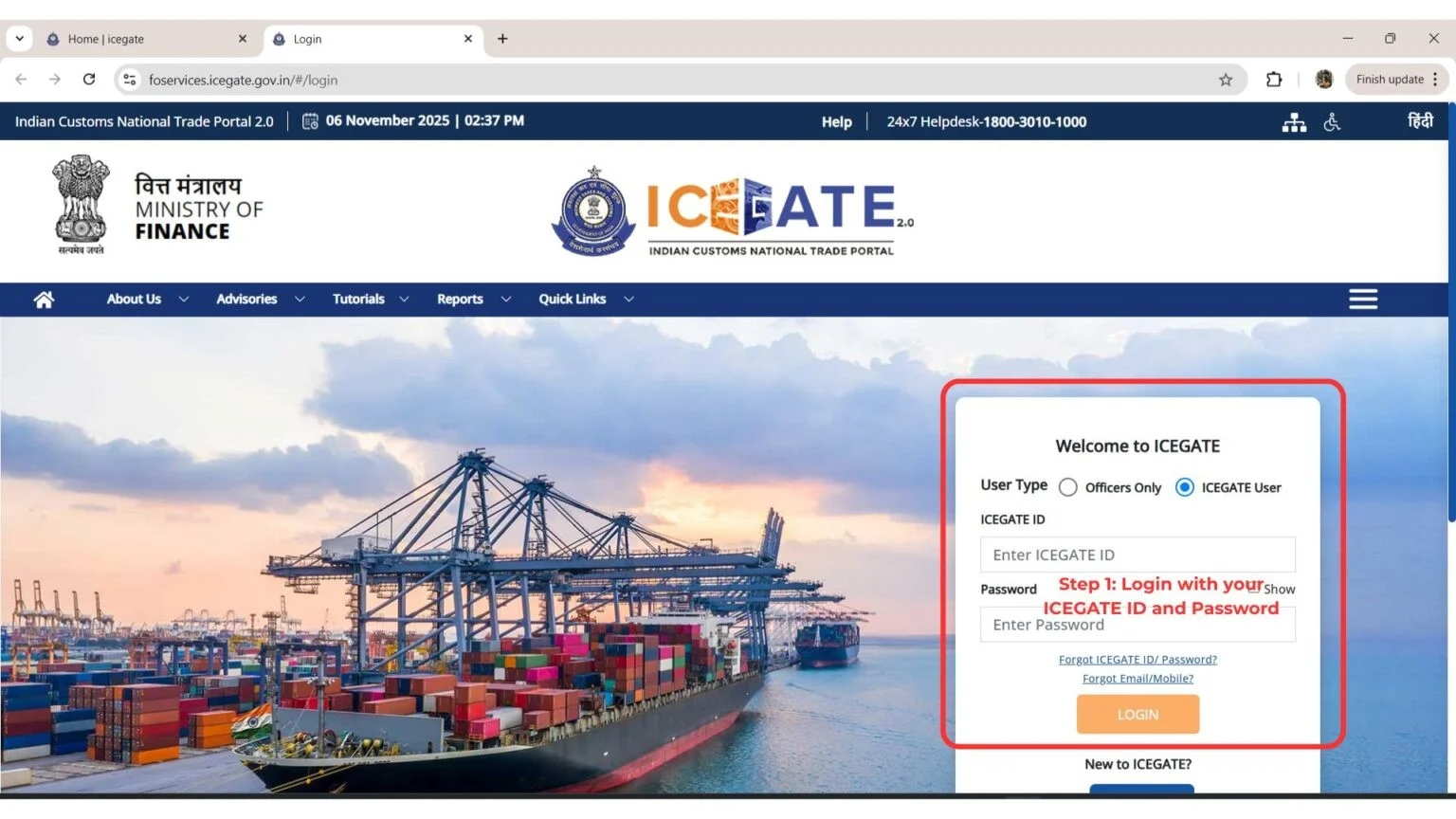
Step 2: CLICK ON THE LINK SHOWN BELOW ONLY AFTER LOGGING IN. If you do not log in first, clicking on the link will redirect you to the login page.
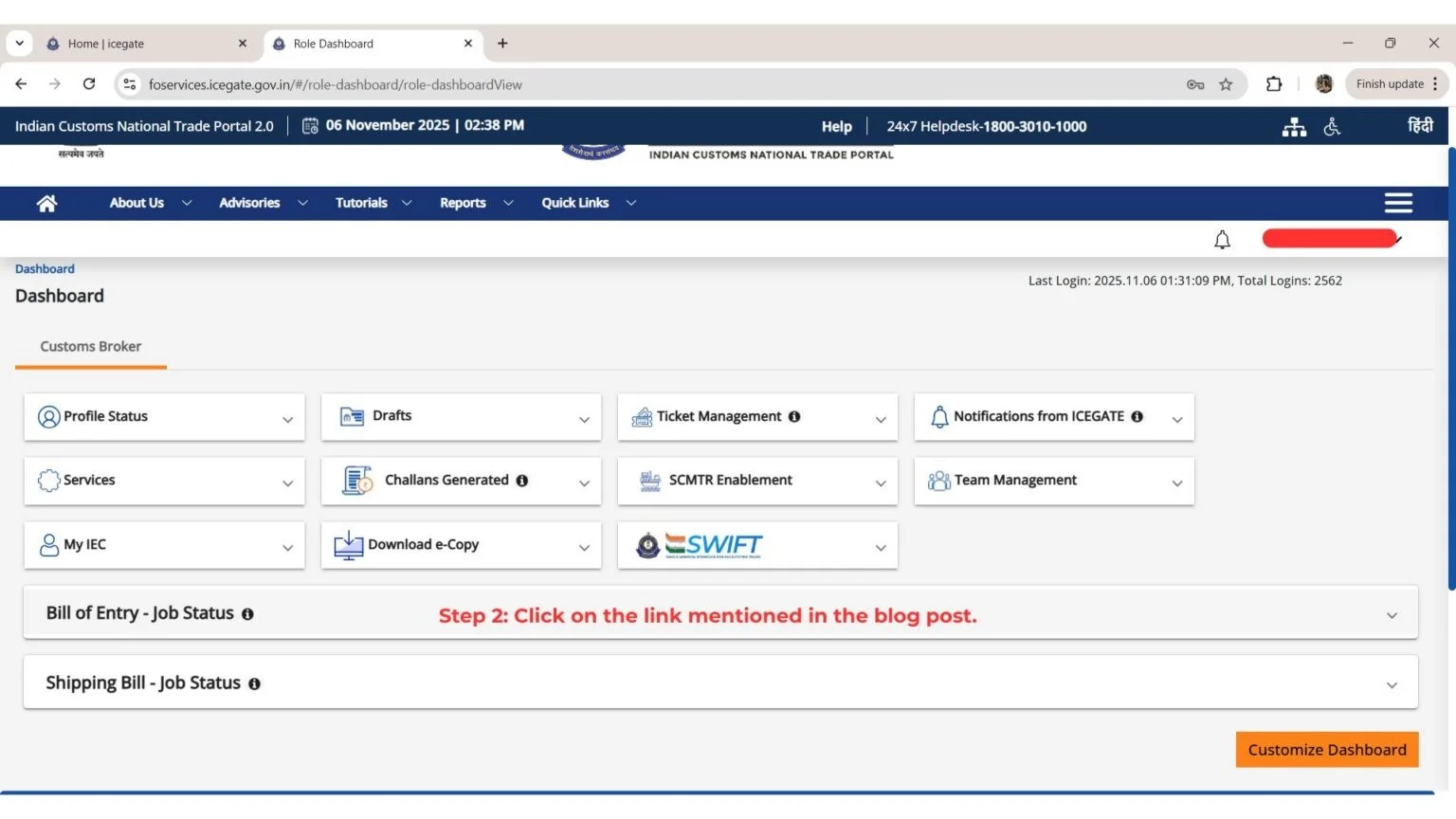
Step 3: Click on the link https://foservices.icegate.gov.in/#/enquiries/document-status/ds-bill-of-entry
ONLY AFTER LOGGING IN.
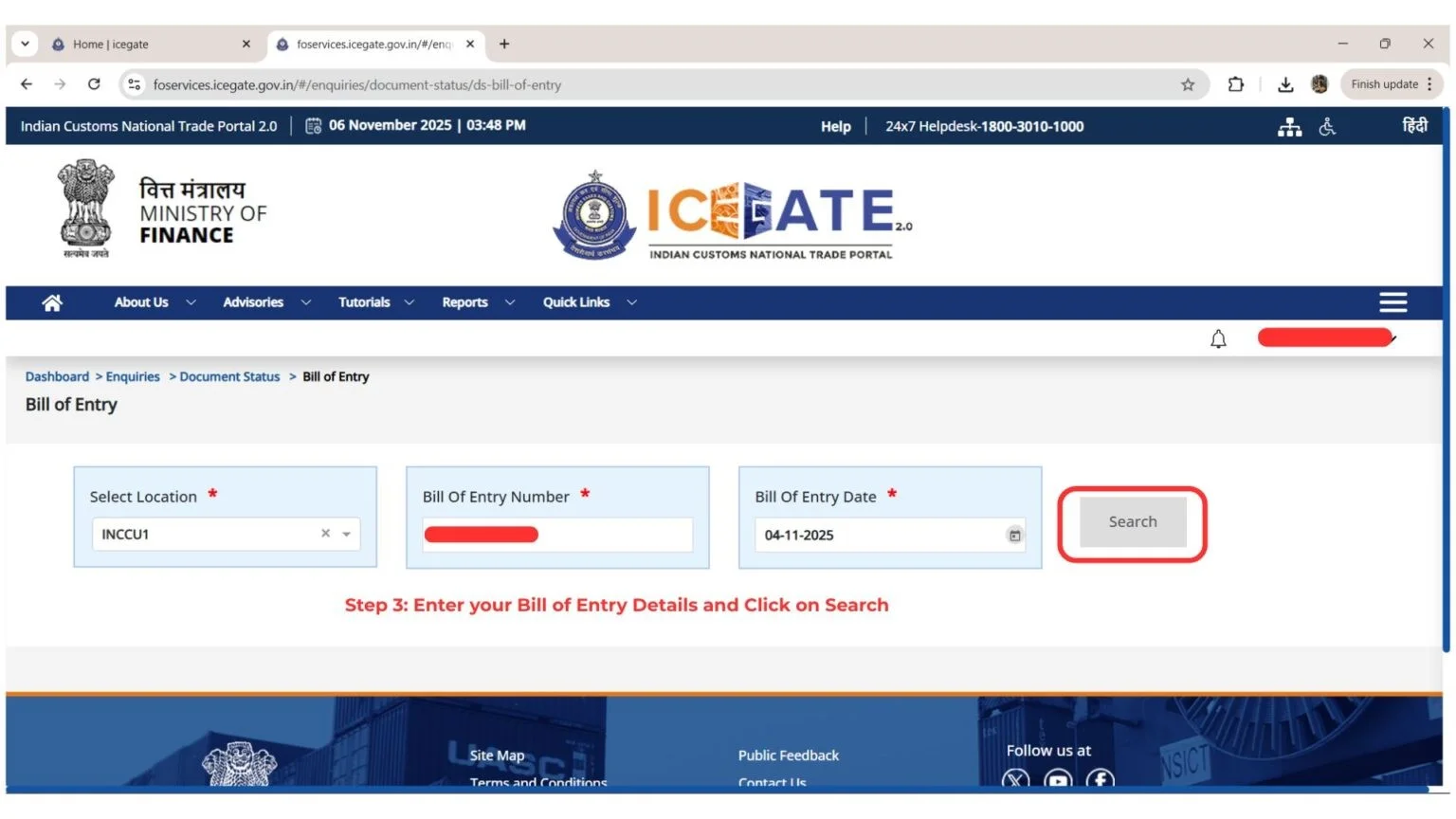
The link will open, and you will need to enter your Bill of Entry details then click Search.
That’s all! You will be able to view your Bill
of Entry BOE Status.
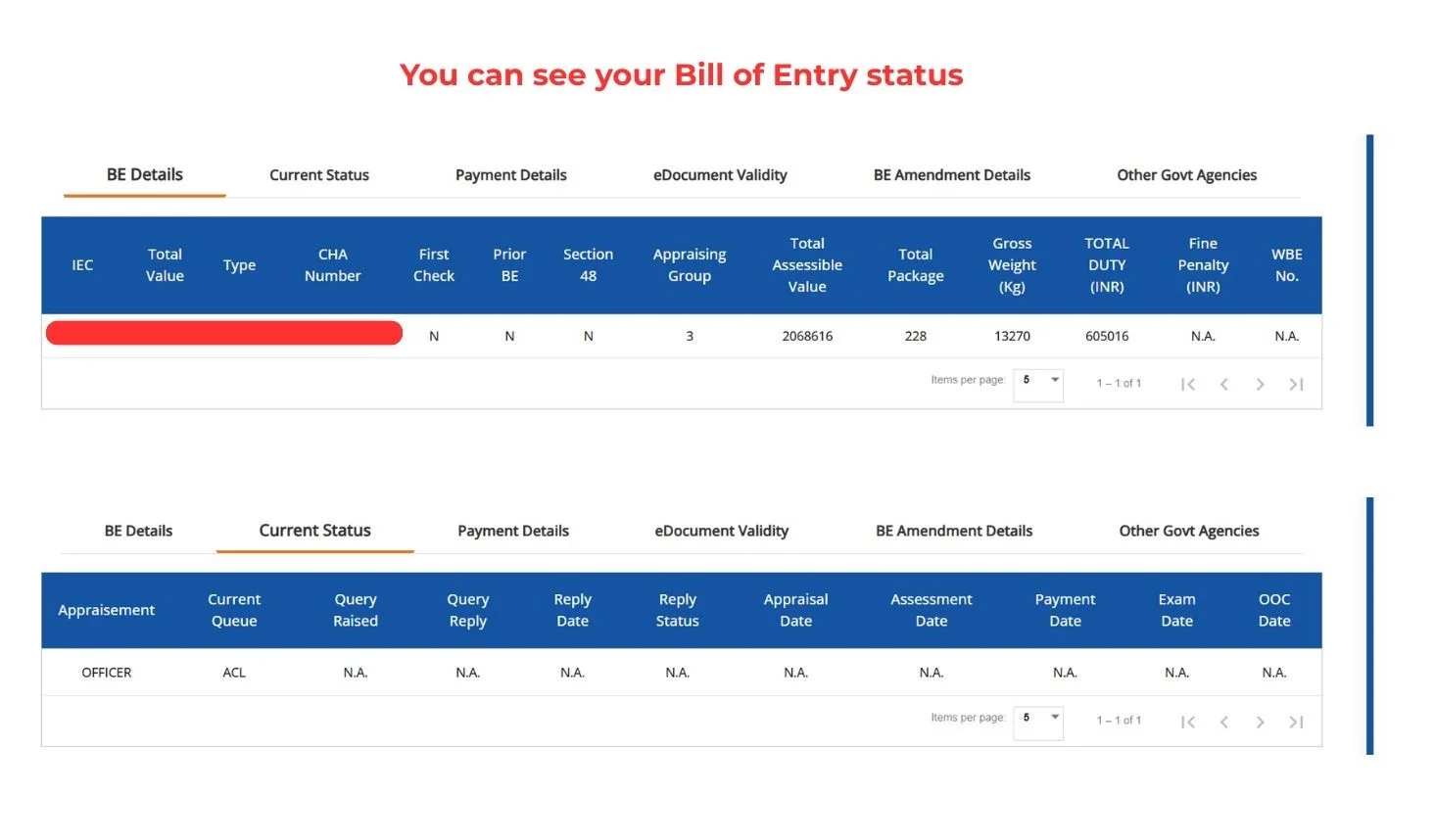
Here’s how to check bill of entry BOE on ICEGATE
Tips from Tax Esquire, Expert Tax Advisor
● Make sure BoE is accurate before submitting it
● Keep checking the status to prevent any delay
● Have the right documentation to ensure no audit issue
● Use ICEGATE 2.0 for the status update dashboard
● Work together with CHA for expedited clearance
As mentioned above, the procedure to track the status of the Bill of Entry through ICEGATE has undergone certain changes after the recent modifications. With login-based status tracking, users can now have improved safety and clarity. By following the above steps provided by TaxEsquire, one will be able to track the BoE import documentation easily.
It is important for the businessmen to stay informed about ICEGATE updates and changes.