How to Check ICEGATE Bill of Entry Status on GST Portal ?
Introduction
For importers in India, tracking customs documentation is just as important as filing them correctly. One such critical document is the Bill of Entry (BoE), which plays a key role in customs clearance as well as Input Tax Credit (ITC) under GST.
Once a Bill of Entry is filed with Customs through ICEGATE, its details are automatically transmitted to the GST system. Importers can then verify the same on the GST portal to ensure proper reconciliation and avoid ITC mismatch issues.
What is ICEGATE in Simple Terms?
ICEGATE is basically the digital bridge between Customs and GST system.
So whatever you file at Customs (like Bill of Entry), it eventually reflects in GST system through ICEGATE.
If this bridge has missing or wrong data → your ITC or reconciliation gets impacted.
What is a Bill of Entry (BoE)?
A Bill of Entry is a mandatory customs declaration document filed at the time of import of goods into India. It contains detailed information about:
- Imported goods
- Customs valuation
- Applicable duties and taxes
- Importer details
Once assessed and processed by Customs, it becomes the basis for clearance of goods and GST input tax credit claims.
Why Checking BoE Status is Important
Checking the BoE status is not just a procedural step. It helps importers:
- Confirm that customs assessment is completed
- Verify IGST and duty payment details
- Ensure correct reflection in GST records (GSTR-2A / GSTR-2B)
- Avoid delays in claiming Input Tax Credit
In many cases, ITC issues arise not due to non-payment of tax, but due to mismatch or non-updation of BoE data in GST portal.
Introduction
For importers in India, tracking customs documentation is just as important as filing them correctly. One such critical document is the Bill of Entry (BoE), which plays a key role in customs clearance as well as Input Tax Credit (ITC) under GST.
Once a Bill of Entry is filed with Customs through ICEGATE, its details are automatically transmitted to the GST system. Importers can then verify the same on the GST portal to ensure proper reconciliation and avoid ITC mismatch issues.
What is ICEGATE in Simple Terms?
ICEGATE is basically the digital bridge between Customs and GST system.
So whatever you file at Customs (like Bill of Entry), it eventually reflects in GST system through ICEGATE.
If this bridge has missing or wrong data → your ITC or reconciliation gets impacted.
What is a Bill of Entry (BoE)?
A Bill of Entry is a mandatory customs declaration document filed at the time of import of goods into India. It contains detailed information about:
- Imported goods
- Customs valuation
- Applicable duties and taxes
- Importer details
Once assessed and processed by Customs, it becomes the basis for clearance of goods and GST input tax credit claims.
Why Checking BoE Status is Important
Checking the BoE status is not just a procedural step. It helps importers:
- Confirm that customs assessment is completed
- Verify IGST and duty payment details
- Ensure correct reflection in GST records (GSTR-2A / GSTR-2B)
- Avoid delays in claiming Input Tax Credit
In many cases, ITC issues arise not due to non-payment of tax, but due to mismatch or non-updation of BoE data in GST portal.
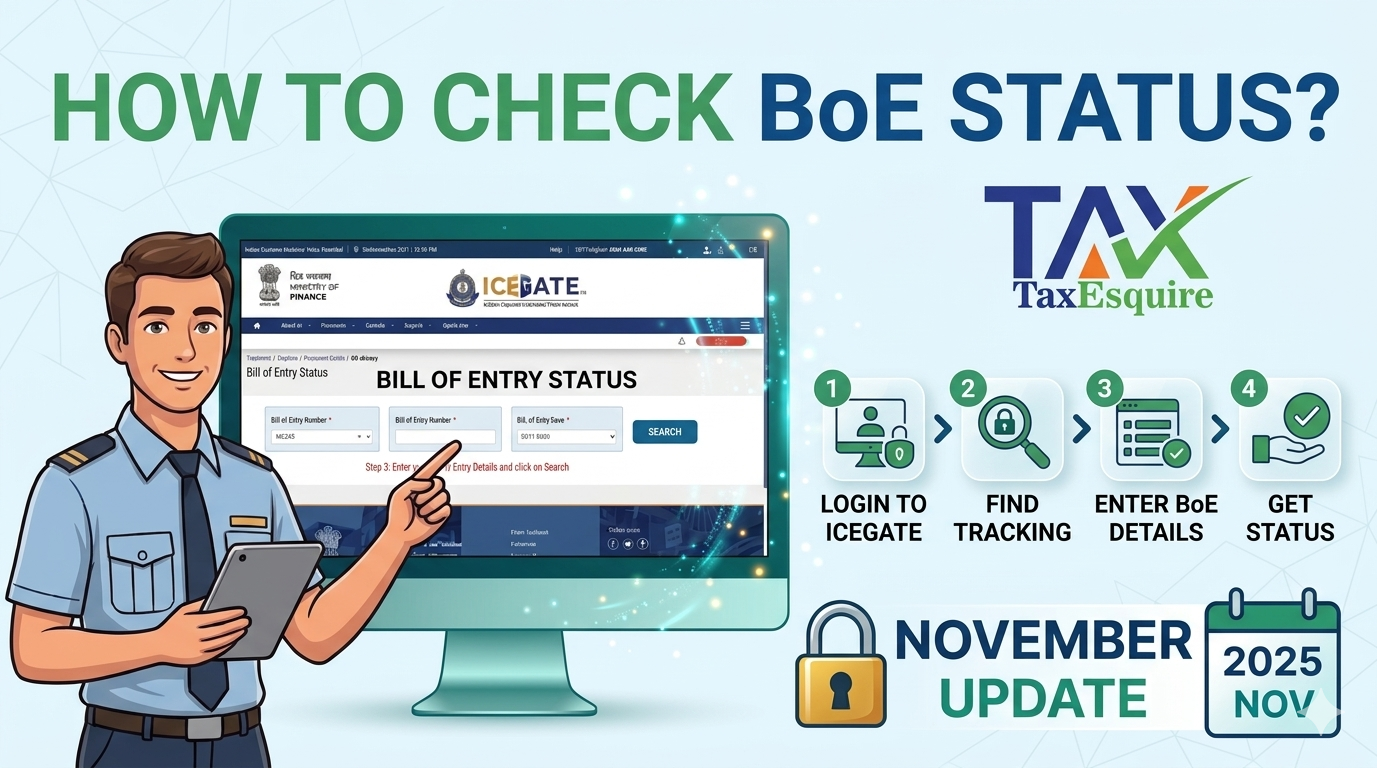
How to Check ICEGATE Bill of Entry Status on GST Portal
Importers can check BoE details directly through the GST portal using the following steps:
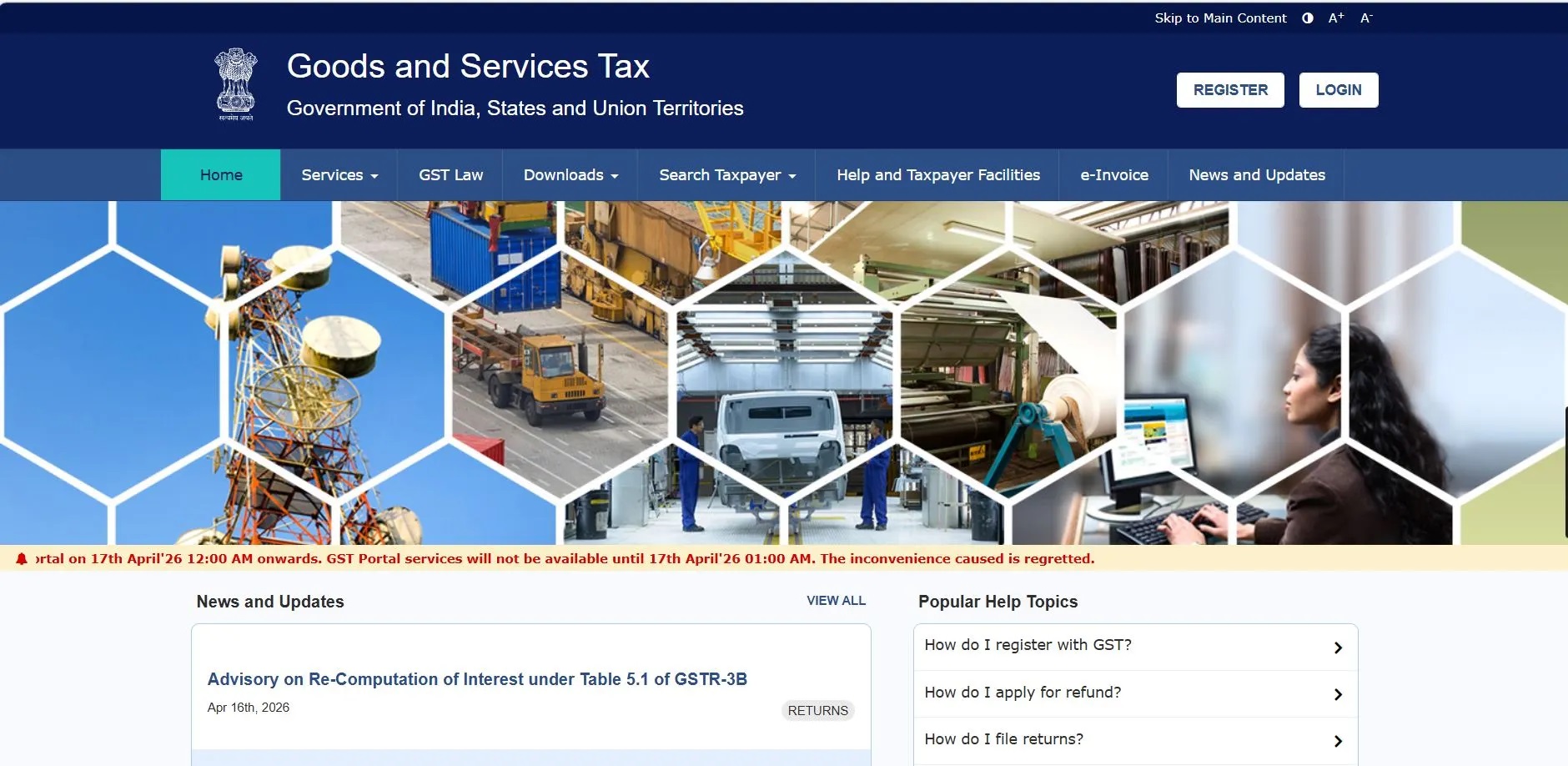
Step 1: Login to GST Portal Website
Access the official GST portal using valid credentials.
Step 2: Navigate to Search Function
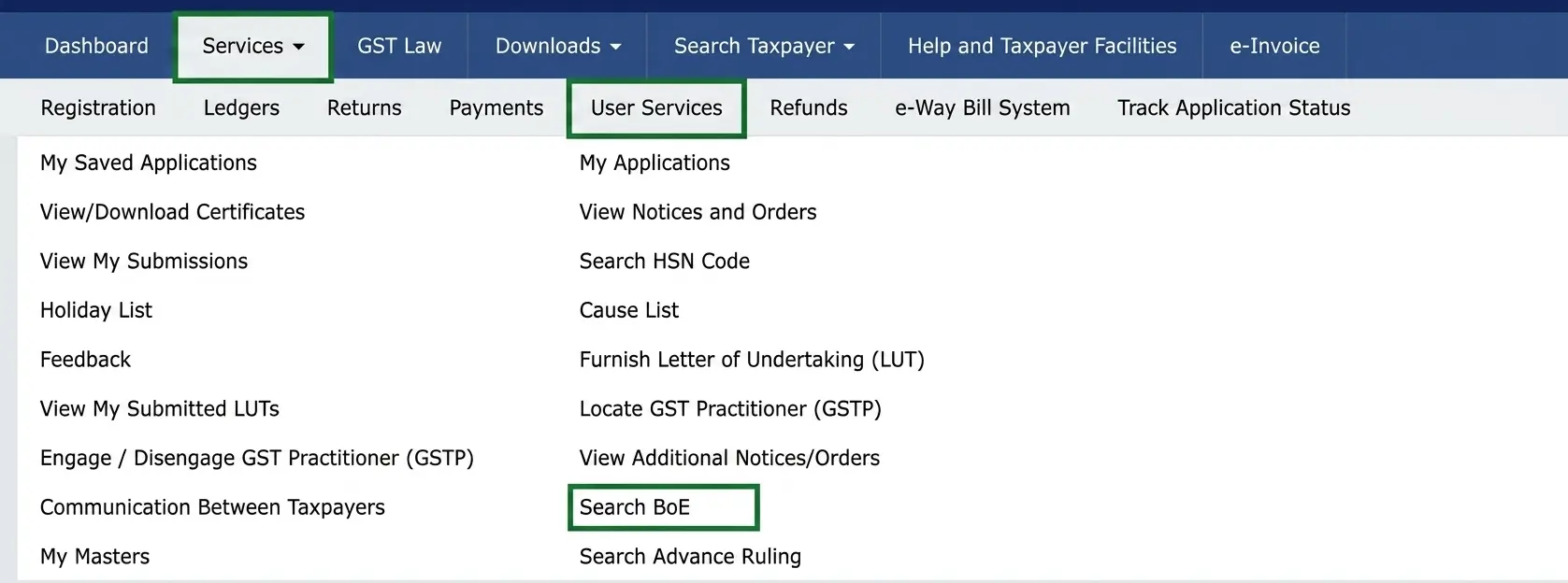
Go to:
Services → User Services → Search BOE
Step 3: Enter Required Details
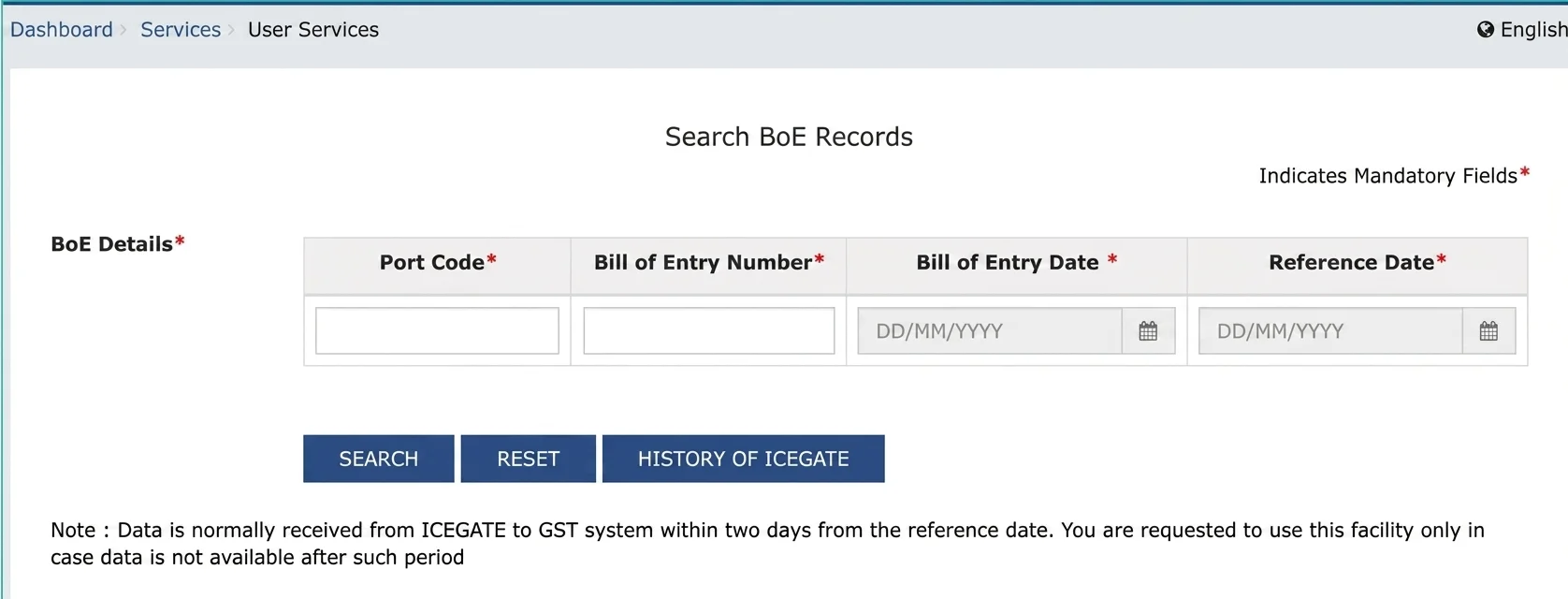
Fill in the following information:
• Port Code
• Bill of Entry Number
• Bill of Entry Date
• Reference Date
Step 4: Submit and View Details
Click on Search, and the system will display BoE details fetched from ICEGATE.
Key Details Displayed in BoE Verification
When you search a Bill of Entry on the GST portal, the following details are typically shown:
|
Particulars |
Description |
|
Port Code |
Identifies the customs port where goods are cleared |
|
Bill of Entry Number |
Unique customs reference number for the import transaction |
|
Bill of Entry Date |
Date on which BoE is filed with Customs |
|
Importer Details |
IEC-based importer information auto-fetched from customs records |
|
Invoice Number |
Commercial invoice number from supplier |
|
Invoice Date |
Date of invoice used for valuation and customs declaration |
|
Description of Goods |
Summary of imported goods |
|
Assessable Value |
Value determined by Customs for duty calculation |
|
Duty & IGST Paid |
Tax and duty details paid at import stage |
|
BoE Status |
Indicates whether BoE is Filed, Assessed, or Closed |
Understanding BoE Status
The status shown on the GST portal helps track the progress of customs clearance:
- Filed/Open → BoE has been submitted but processing is ongoing
- Assessed → Customs has verified and confirmed duty liability
- Closed → Goods have been cleared and process is completed
Each stage is important for determining whether ITC will reflect correctly in GST returns.
Practical Issues Faced by Importers
In practice, importers often face the following issues:
- BoE data exists in Customs, but does not correctly reflect in GST system.
- Invoice mismatch between supplier invoice and BoE
- Delay in ITC appearing in GSTR-2B
- Incorrect port code or document mapping
Most of these issues arise due to data mismatch between ICEGATE and GST systems, not due to taxpayer error.
Compliance Insight
For smooth import compliance, businesses should ensure:
- BoE details are correctly entered at the time of filing
- Regular reconciliation between ICEGATE and GST portal
- Immediate follow-up in case BoE is not visible on GST system
Timely verification helps avoid working capital blockage due to delayed Input Tax Credit.
Conclusion
The ICEGATE Bill of Entry status system, integrated with the GST portal, plays a crucial role in import compliance and tax credit mechanism. Regular tracking ensures transparency in customs processing and prevents unnecessary delays in claiming ITC.
For importers, this is not just a technical step—it is a critical part of financial and tax compliance management.
Author: CA POONAM GUPTA & ADV LOKESH GUPTA