
How to Track PAN Card Application Status and Delivery Online
Introduction
A Permanent Account Number (PAN) is one of the most important identity and tax-related documents issued by the Income Tax Department of India. After applying for a new PAN card, PAN correction, reprint, or e-PAN, applicants often need to track the current status of their application.
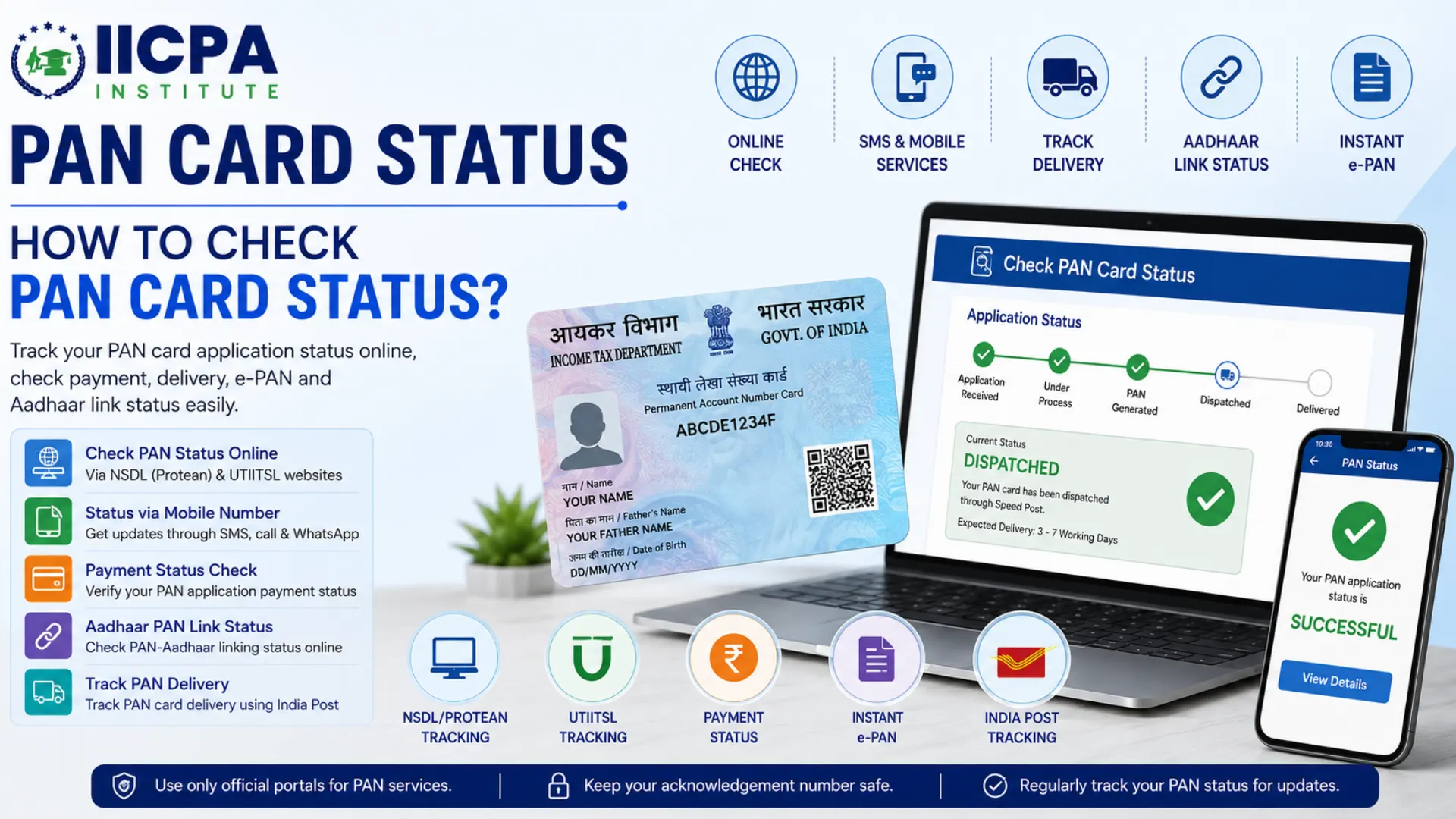
PAN card status helps applicants know whether their application has been received, processed, approved, dispatched, or delivered. It also helps identify delays, document issues, or rejection reasons so corrective action can be taken quickly.
Today, PAN card status can be checked online, through mobile number, SMS services, mobile apps, and even India Post tracking systems.
Key Information Needed for PAN Status Check
Before checking your PAN card status, keep the following details ready:
PAN number – A 10-digit alphanumeric number mentioned on the PAN card
Aadhaar number linked with PAN (optional but recommended)
Registered mobile number
Email ID used during the PAN application process
PAN application date or acknowledgement number (if available)
Only the PAN cardholder or an authorized person can check the PAN status. A valid PAN is essential for carrying out financial and tax-related transactions.
What Details Are Required to Check PAN Card Status?
To check PAN card application status, applicants may need any one of the following details:
• Acknowledgement Number
A 15-digit acknowledgement number is generated after submitting the PAN application. This is the most commonly used method for tracking PAN status.
• Coupon Number
For applications submitted through UTIITSL, a coupon number may be used instead of an acknowledgement number.
• PAN Number
Existing PAN holders can use their PAN number for correction or reprint status tracking.
• Name and Date of Birth
Some portals allow status tracking using the applicant’s full name and date of birth.
• Registered Mobile Number
OTP verification or SMS updates may require the registered mobile number linked with the PAN application.
Different Ways to Check PAN Card Status
Applicants can track their PAN card status using several methods.
• Online Through NSDL (Protean)
Users who applied through Protean e-Gov Technologies (formerly NSDL) can track their application online using the official portal.
• Online Through UTIITSL
Applicants who submitted PAN applications through UTIITSL can check status through the UTIITSL tracking page.
• SMS Service
PAN application status can also be received through SMS services provided by authorized agencies.
• Customer Care Call
Applicants may contact PAN service centers or customer support numbers for tracking assistance.
• Mobile Applications
Several official and government-enabled apps allow users to track PAN-related services.
• India Post Tracking
Once dispatched, PAN cards can be tracked using Speed Post consignment details.
How to Check PAN Card Status on NSDL (Protean) Website
Applicants who applied through Protean can track PAN status online by following these steps:
Step 1: Visit the official Protean PAN tracking portal.
Step 2: Select “PAN – New/Change Request” from the application type dropdown.
Step 3: Enter the 15-digit acknowledgement number.
Step 4: Fill in the captcha code displayed on the screen.
Step 5: Click on “Submit”.
Step 6: The system will display the latest PAN application status such as:
Application Received
Under Process
PAN Generated
Dispatched
Delivered
Common Errors While Checking Status
Incorrect acknowledgement number
Wrong application type selected
Server delay
Incomplete application submission
How to Check PAN Card Status on UTIITSL Website
Applicants who submitted their PAN application through UTIITSL can track status online.
Steps to Check UTIITSL PAN Status
Step 1: Open the official UTIITSL PAN status tracking page.
Step 2: Enter:
Application coupon number, or
PAN number
Step 3: Provide date of birth/incorporation if required.
Step 4: Enter the captcha code.
Step 5: Click “Submit”.
The current PAN application status will appear on the screen.
PAN Card Status Check Using Acknowledgement Number The acknowledgement number is the easiest and most reliable way to track PAN card status. What is an Acknowledgement Number? It is a unique 15-digit number generated after successful PAN application submission. Where Can You Find It? The acknowledgement number is available: On the PAN acknowledgement slip In confirmation email/SMS On payment receipt Why is it Important? It helps applicants: Track application processing Monitor dispatch details Download e-PAN Check correction request status How to Check PAN Card Status Without Acknowledgement Number Sometimes applicants may lose their acknowledgement number. In such cases, PAN status can still be checked using alternative methods. Methods to Check Status Without Acknowledgement Number • Using Name and Date of Birth Certain portals allow tracking through: Full name Date of birth Mobile number • Using PAN Number Existing PAN holders can track correction or reprint applications through PAN details. • Customer Care Assistance Applicants may contact PAN support centers and verify identity for assistance. Important Precautions Enter details exactly as submitted in the application Avoid multiple incorrect attempts Use only official websites PAN Card Status Check by Mobile Number Applicants can also track PAN status using mobile-based services. • SMS Service Applicants may receive PAN status updates through SMS notifications sent to the registered mobile number to "NSDLPAN<15-digit acknowledgment number>" and sent to '57575'. • OTP-Based Tracking Some online portals verify status requests through OTP authentication. • Customer Care Helpline Applicants can call PAN customer support and verify application details. 020-27218080(7:00am to 11:00pm on all 7 days) 08069708080 (24 hours) • WhatsApp-Based Services Certain government-enabled services may provide updates through WhatsApp integration on message ‘Hi’ to ‘8096078080’. PAN Card Payment Status Check After applying for PAN, applicants may also want to verify whether payment was successfully processed. How to Check PAN Payment Status Step 1: Visit the same portal used for PAN application. Step 2: Enter: Acknowledgement number Transaction reference number Registered mobile/email Step 3: View payment confirmation status. Possible Payment Status Messages Payment Successful Payment Pending Transaction Failed Refund Initiated What to Do If Payment Fails? Wait for bank confirmation Check bank statement Retry payment if necessary Contact payment gateway support Aadhaar Card PAN Card Link Status Linking Aadhaar with PAN is mandatory under Income Tax rules. Why is PAN-Aadhaar Linking Important? Prevents PAN becoming inoperative Required for filing income tax returns Necessary for financial transactions How to Check PAN-Aadhaar Link Status Step 1: Visit the Income Tax e-filing portal. Step 2: Select “Link Aadhaar Status”. Step 3: Enter: PAN number Aadhaar number Step 4: Click “View Link Aadhaar Status”. The portal will display whether PAN and Aadhaar are linked successfully. Consequences of Non-Linking PAN may become inactive TDS credit issues Difficulty in filing returns Banking restrictions How to Track Instant e-PAN Card From Aadhaar? The Income Tax Department provides an instant e-PAN facility using Aadhaar-based authentication. Steps to Track Instant e-PAN Step 1: Visit the Income Tax e-filing portal. Step 2: Click on “Instant e-PAN”. Step 3: Select “Check Status/Download PAN”. Step 4: Enter Aadhaar number. Step 5: Verify OTP sent to Aadhaar-linked mobile number. Step 6: View status or download e-PAN PDF. Benefits of Instant e-PAN Paperless process Faster PAN generation Aadhaar-based verification Immediate digital access PAN Card Application Status via Mobile App Applicants can also track PAN status through mobile applications. Popular Methods • Income Tax Mobile App The Income Tax Department app provides access to PAN-related services. • Digi-Locker Users can store and access e-PAN digitally through Digi-Locker. • UMANG App The UMANG platform provides access to several government services including PAN-related updates. Benefits of Mobile App Tracking Quick access Real-time updates Secure login Easy document storage How to Track PAN Card Delivery Using India Post? Once the PAN card is dispatched, delivery can be tracked through India Post Speed Post services. Steps to Track PAN Delivery Step 1: Obtain the Speed Post tracking number from the PAN portal. Step 2: Visit the India Post tracking website. Step 3: Enter the consignment/tracking number. Step 4: Click “Track”. Step 5: View delivery status such as: Item Dispatched In Transit Out for Delivery Delivered Common Reasons for Delivery Delay Incorrect address Local delivery issues Public holidays Address verification problems What If PAN Is Not Delivered? Contact India Post customer care Contact Protean or UTIITSL support Request PAN re-dispatch if required Conclusion Tracking PAN card status has become simple and convenient through online portals, mobile services, apps, and postal tracking systems. Whether you applied for a new PAN, correction, reprint, or instant e-PAN, monitoring the application status helps ensure timely processing and delivery. Applicants should always keep their acknowledgement number safe, use official government portals, and regularly monitor updates to avoid delays or issues in PAN processing.
Author: CA POONAM GUPTA & ADV LOKESH GUPTA
© 2026 Tax Esquire | Expert CA Services in Greater Noida, Uttar Pradesh
8810380146 | info.taxesquire@gmail.com | taxesquire.in
This document is for informational purposes only. For personalised tax advice, consult our chartered accountants.